NEXUS · Visitor Management

Visitor management,
front desk reimagined.

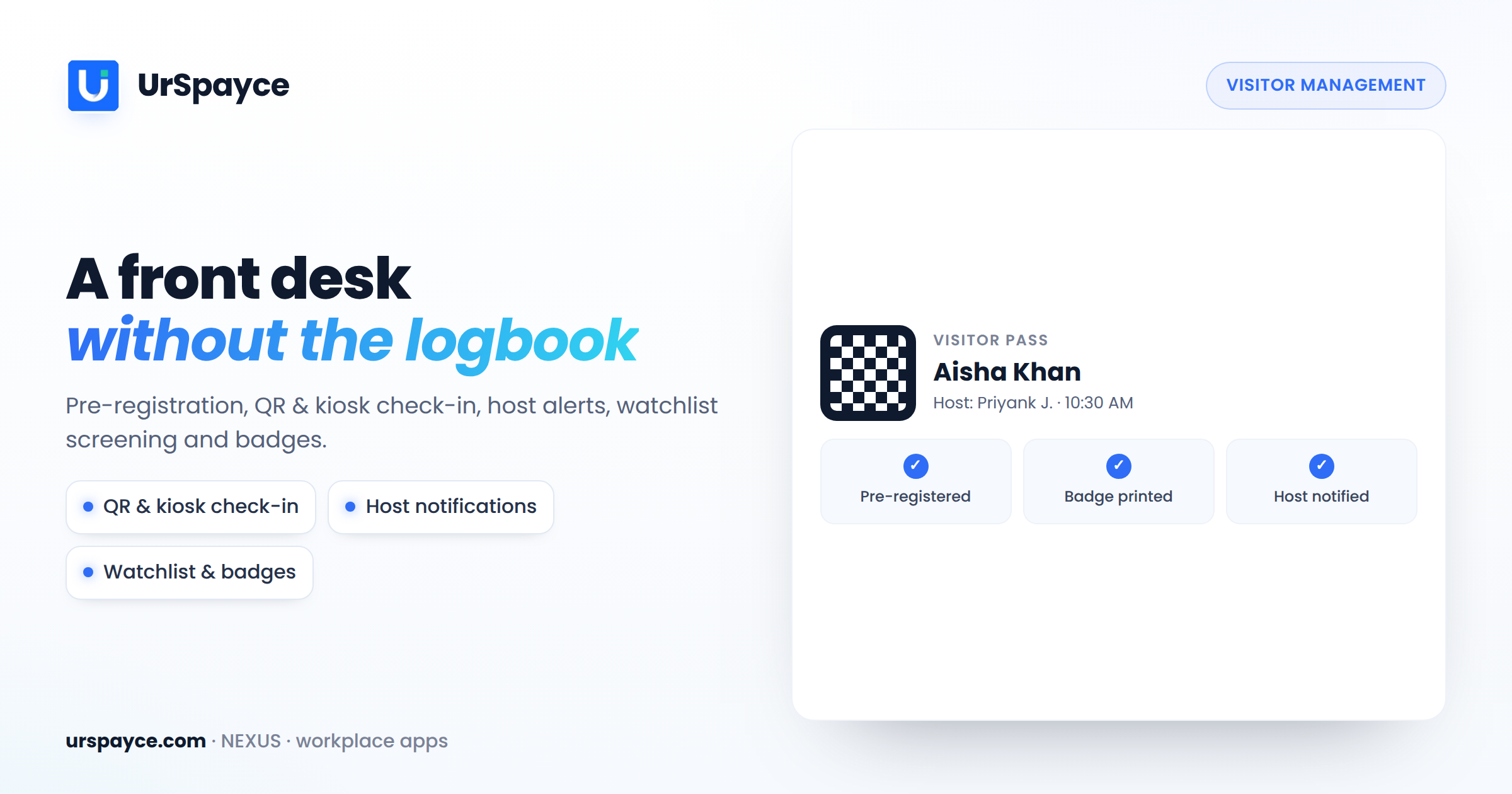
Replace the paper visitor register with a structured digital platform. Pre-register, invite, approve, check in by QR or kiosk, and track every visit — with real-time visibility for reception, security and hosts.

SOC 2 Type IIGDPRISO 27001QR entryKioskPre-registration
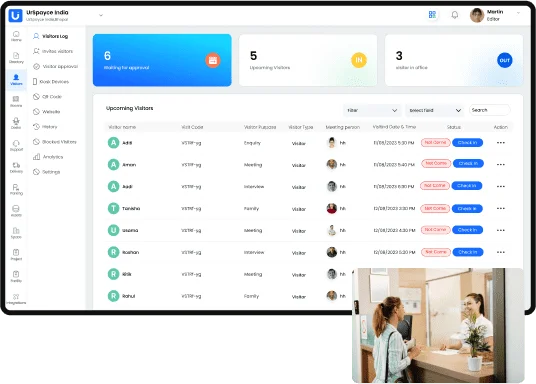
UrSpayce Visitor Management software dashboard
UrSpayce · Visitor Management
8 modulesFull visitor lifecycle
Web · Kiosk · MobileCheck in anywhere
Real-timeDashboards & alerts
Enterprise-gradeSOC 2 · GDPR · ISO 27001

Organizations meet clients, vendors, partners, candidates and delivery agents every single day. Manual logbooks and fragmented tools mean long queues, incomplete records and poor visibility into who is in the building.

UrSpayce streamlines and centralizes the entire visitor-handling process in one structured system — registrations, invitations, approvals, check-ins and visit records — replacing manual logs and making reception effortless.

It supports the complete visitor lifecycle with real-time dashboards on visit trends and frequency, plus kiosk and mobile check-in — so small offices and large corporate campuses run the front desk the same, professional way.

VM-series · 8 modules

Everything the front desk needs

Eight modules that cover the visitor journey end to end — from the invitation to the audit log.

VM-01

Visitor Pre-Registration & Invitations

  • Pre-register visitors before arrival through a structured invitation system.
  • Send digital invitations by message or email with visit details, host and arrival time.
  • Generate QR-based visitor passes that simplify entry verification.
  • Hosts are notified the moment an invited visitor arrives.
VM-02

Digital Check-In & Kiosk Management

  • Visitors check in with QR codes or digital forms via kiosk or mobile.
  • Replace manual visitor registers with accurate digital records.
  • Manage check-ins, approvals and badge issuance from one dashboard.
  • Cut waiting times at entry while keeping complete logs.
VM-03

Visitor Approvals & Access Control

  • Employees or admins approve visitor requests before entry.
  • Set permissions by visit purpose, host or department.
  • Control access to specific office areas with approval workflows.
  • Keep secure records of authorisations and entry activity.
VM-04

Visitor Directory & Records

  • Centralised directory of every visitor — new and returning.
  • Track profiles, visit purposes, host employees and frequency.
  • Store historical records for security and operational reference.
  • Search and retrieve visitor information in seconds.
VM-05

QR Codes & Workplace Entry Points

  • Generate workplace QR codes for check-in or visit registration.
  • Configure categories — meetings, deliveries, help-desk or general.
  • Give guests a quick, contactless entry experience.
  • Reception verifies entry efficiently at every point.
VM-06

Visitor History & Activity Logs

  • Complete record of check-ins and check-outs over time.
  • Track visit purpose, host employee and duration of visit.
  • Activity logs show every reception and admin action.
  • Support security audits with structured historical records.
VM-07

Analytics & Visitor Insights

  • Dashboards for daily, monthly and department-wise visits.
  • See new vs. returning visitors and engagement patterns.
  • Identify peak hours and visitor distribution across teams.
  • Reports sharpen reception operations and security oversight.
VM-08

Administrative Settings & Controls

  • Configure purposes, approval rules, visitor codes and verification.
  • Manage badges, notifications, emergency and prohibited-item policies.
  • Role-based permissions keep policies consistent everywhere.
How it works

A modern welcome, every time

Self-service kiosk, paperless QR entry, automated invitations and a reporting dashboard — working together.

Kiosk app

Replace manual entry with a self-check-in kiosk

Elevate the arrival experience and tighten security with UrSpayce's self-check-in kiosk — visitors register themselves in seconds.

  • Collect visitor information
  • Capture photo & signature
  • Scan the visitor pass
  • KYC / legal documentation
Self check-inKiosk · Reception
🧑
Full nameAarav Sharma
HostPriya · Design
PurposeMeeting
📷 Photo✍️ Signature🪪 ID
Check in →
QR entry

Paperless entry with a QR code

Place a QR code at reception to retire the paper logbook — visitors scan, fill in details and they're checked in.

  • Capture visitor details faster
  • Collect legal documents
  • Photo & signature capture
  • Move visitor traffic quickly
Scan to check inPaperless entry · contactless
DetailsDocumentsBadge
Invitations

Automate the visitor invitation process

Give employees a fast, secure way to invite guests from their phone — with pre-filled details, host info and a QR pass.

  • Invite from mobile in a tap
  • Pre-registered, faster check-in
  • QR pass sent to the guest
  • Host alerted on arrival
New invitationMobile
GuestMeera Patel
WhenTomorrow · 10:30
HostYou
Visitor passSent by email & SMS
Send invite →
Analytics

Reporting & analytics on a web dashboard

Turn the front desk into data — average visit time, peak hours, new vs. returning guests and department-wise trends.

  • Average visit time
  • Peak-hour insights
  • New vs. returning guests
  • Department-wise reports
Visitor insightsThis week
1,284Visitors
18 minAvg visit
62%Returning
MonTueWedThuFriSatSun
Built for every industry

Visitor management for all industries

A cloud-based system that fits businesses of every size and sector.

Aerospace & DefenseTransportation & LogisticsFood & BeverageGovernmentEducationManufacturingProfessional ServicesPharma & Biotech
Powered by UrSpayce

Connect the tools you already use

Visitor updates flow straight into the apps your team lives in.

Google Workspace
Google WorkspaceAuto-sync users into your employee directory.
Microsoft Teams
Microsoft TeamsNotify hosts with a Teams message on every update.
Slack
SlackInstant visitor alerts in a channel or DM.
Zoom
ZoomPrivate notifications for every visitor update.
Outlook
OutlookSchedule and invite guests without switching tools.
Microsoft 365
Microsoft 365Notify designated groups for every update.
Google Calendar
Google CalendarInvite visitors and book desks from your calendar.
Apple Wallet
Apple WalletVisitor passes that live in the guest's wallet.

Enterprise-level security

UrSpayce meets industry-leading data-security standards to protect visitor data from unauthorised access, use or disclosure.

End-to-end encryptionTwo-factor authenticationRole-based access controlFull audit logs
SOC 2 Type IISOC 2 Type II
GDPRGDPR
ISO 27001ISO 27001
FAQ

Questions, answered

Can we generate reports from the visitor management software?
Yes. UrSpayce generates comprehensive reports on visitor activity — daily, monthly and department-wise — so you can spot trends, flag potential security risks and make informed decisions about your visitor policies and reception operations.
Does the software provide real-time visitor tracking?
Yes. Real-time dashboards show who is on-site, who is expected and current check-in status across every entry point, kiosk and location, so reception and security always have live visibility.
How long can we store visitor information in the cloud?
Visit records are retained for as long as your organisation's data-retention policy requires. Retention windows are configurable, and historical records remain available for security audits and operational review.
How do we connect the visitor management kiosk app?
The kiosk app runs on a standard tablet at your reception. It pairs to your UrSpayce workspace with a secure code — no extra hardware — and instantly syncs check-ins, approvals and badges with the web dashboard.
Does the system capture redundant data for repeat visitors?
No. Returning guests are recognised from the visitor directory, so their details are reused and check-in is near-instant — no re-entering the same information on every visit.
Can blocked visitors be unblocked?
Yes. Administrators can block and unblock visitors at any time from the dashboard, with the change and the reason recorded in the audit log.
How long does a visitor pass remain valid?
Pass validity is configurable per visit or visitor category — from a single-day meeting pass to a longer multi-day pass for contractors — and expires automatically when the window ends.
Is there a limit to the fields on the registration form?
No practical limit. Add as many custom fields as your workflow needs — purpose of visit, documents, host, vehicle and more — and make them required or optional per visitor category.
Can we customise the registration form for our business?
Yes. The visitor registration form is fully customisable — fields, categories, approval rules, verification steps and branding — so it matches your security requirements and front-desk process.

See UrSpayce run your front desk.

Visitor Management is part of NEXUS — one login across visitors, desks, rooms, parking and more, on one AI-native workplace platform.

Book a demo →